
Introduction
AI agents now handle work that once needed a person. They can write code, run support steps, check data, and move through tools on their own. That is useful. It also brings risk.
Even a well-built agent can go off track. It can make the wrong call, act outside policy, or get stuck in a bad loop. When that happens, you need a way to stop it fast.
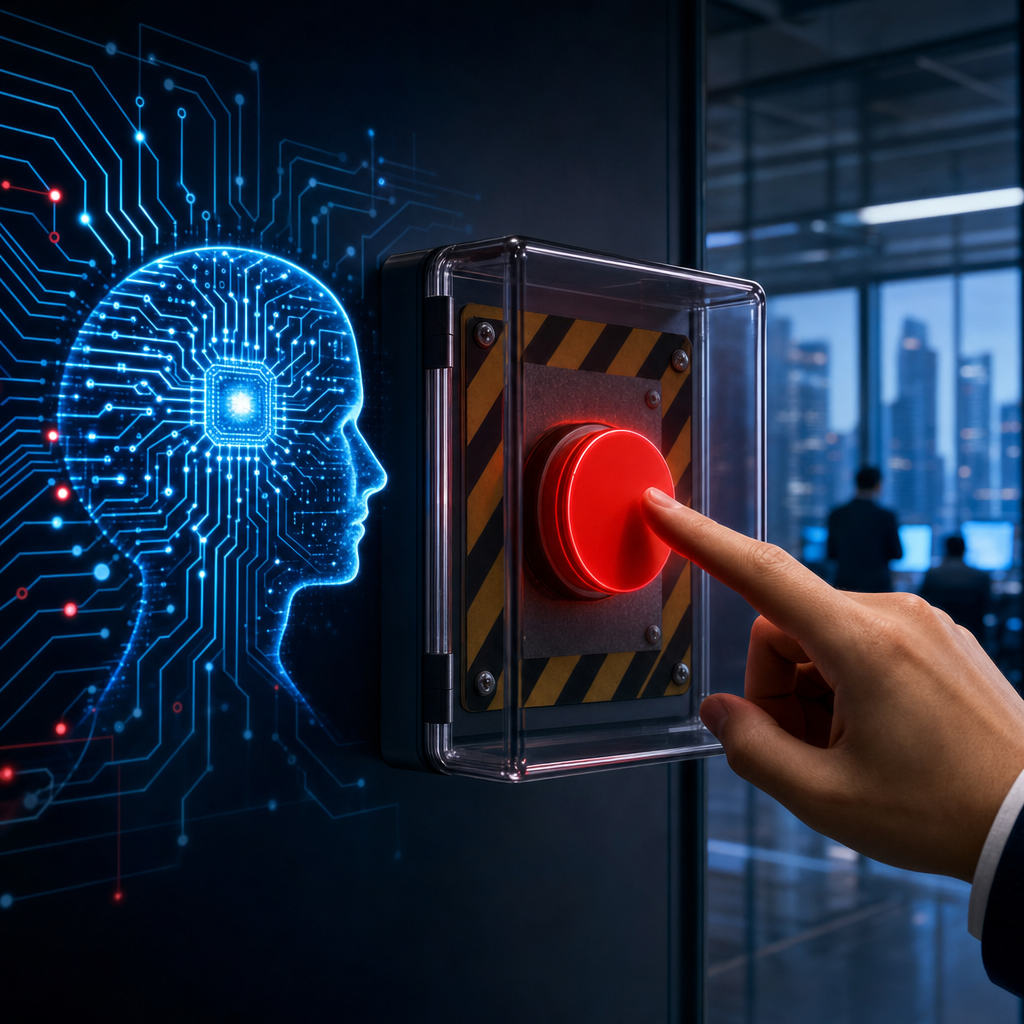
An AI kill switch is that safety net. It can halt, isolate, or limit an agent when it misbehaves. It helps protect your team, your customers, your money, and your systems.
Why Businesses Need an AI Kill Switch
AI agents now book meetings, move money, write code, and talk to customers without a human checking every step. That autonomy is the whole point, but it also means a single bad decision, a corrupted instruction, or a hijacked identity can cause damage before anyone notices. A kill switch is the safety net that catches that moment. Here is what businesses need to know, framed around the questions that matter most.
What Is an AI Kill Switch?
An AI kill switch is not a literal red button. It is a containment system, separate from the agent’s own reasoning, that can pause, isolate, revoke access from, or roll back an AI agent the moment it behaves unpredictably. In practice, this means shutting down credentials, freezing tool access, and restoring a known safe state, not just hiding an agent’s activity from a dashboard while its API keys stay live underneath.
Why Do Businesses Need One?
Agents fail in ways traditional software rarely does. They can misinterpret a prompt, get manipulated by malicious input, drift from their intended task, or simply loop on a costly action thousands of times before anyone checks the logs. Without a kill switch, containing that failure depends on a human noticing in time and manually chasing down every credential and connected system the agent touched. That is far too slow when an agent can execute thousands of actions per minute. A kill switch turns a scramble into a routine, tested response.
Who Is Responsible for Building It?
Ownership usually splits across three groups. Security and IT teams design the technical mechanism, credential revocation, sandboxing, and monitoring. Governance or compliance teams set the policy: which agents can be shut down, under what conditions, and who has the authority to pull the trigger. Business and product leaders decide the acceptable risk tolerance for each agent’s autonomy, since a customer support bot and a finance agent moving payments warrant very different levels of caution. No single team can own this alone, because a kill switch that is purely technical without policy backing, or purely policy without engineering behind it, will not work when it is actually needed.
When Should a Kill Switch Trigger?
Effective kill switches respond to defined signals rather than waiting for a human to spot trouble. Common triggers include spend or rate limits being exceeded, repeated errors or failed actions, behavior that deviates from an established baseline, attempts to access forbidden files or systems, and detected prompt injection or other manipulation. The best designs use layered responses: throttling first, then pausing with a notification, then a full shutdown with the agent’s state preserved for review. Reserving the hardest stop for only the most severe cases keeps normal operations from being disrupted by false alarms.
Where Does This Fit Into Existing Standards?
Businesses are not designing kill switches in a vacuum. OWASP’s Top 10 for Agentic Applications explicitly calls for “a kill switch that actually works when invoked” as part of its guidance on rogue agent risk. NIST’s Cybersecurity Framework 2.0 maps the concept onto its Respond function, tying it to access control and least privilege. Regulation is catching up too: the EU AI Act’s Article 14 requires human oversight and intervention capability for high-risk AI systems, and US state laws such as Colorado’s AI Act carry similar requirements. None of these sources hands businesses a ready-made kill switch, but together they define what a defensible one looks like.
What Happens Without One?
The absence of a kill switch does not just create technical risk; it creates business risk. Regulators increasingly expect documented human oversight for high-risk AI systems, and an inability to demonstrate a working shutdown mechanism can become a compliance failure on its own. Customers and partners are also growing wary of AI systems that operate as black boxes with no visible off switch. And from a pure operations standpoint, an agent that cannot be paused quickly can turn a minor bug into a major incident, whether that means an inflated cloud bill, a data leak, or a damaged customer relationship.
The Bottom Line
A kill switch is not an admission that AI cannot be trusted. It is the same instinct that puts circuit breakers in electrical systems and emergency stops on factory machinery: powerful tools deserve a fast, reliable way to be turned off. As agents take on more autonomous work, building that capability in early, rather than retrofitting it after an incident, is what separates businesses that scale AI responsibly from those that learn the hard way.
Next steps for your organization
- Start with a risk and capability check for each production agent.
- Map each risk to a control, and define what triggers what response.
- Use a layered kill switch plan, such as hard stops, circuit breakers, and session quarantine.
- Invest in telemetry, logs, and audit trails so you can act during incidents.
- Run kill switch drills and update rules as agents change.
If you want help checking your AI safety posture, use a readiness checklist to spot gaps in kill switch coverage, governance, and test frequency. Need a tailored plan? Contact an AI governance and safety team for support.